How to Install IPTV Stream on Your TV: Complete Step-by-Step UK Guide
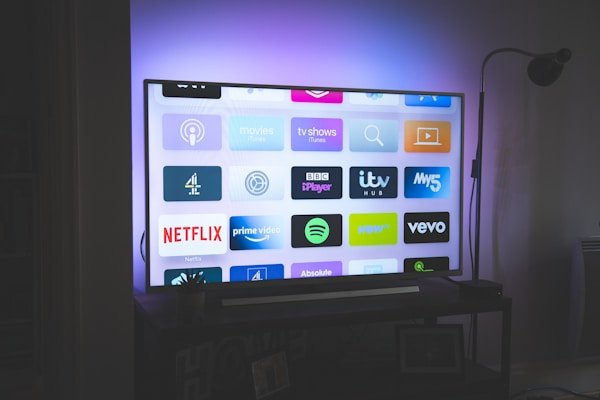
Want to enjoy your favourite UK channels at an affordable price? Installing IPTV Stream on your television is the ideal way to access BBC One, ITV, Channel 4, Sky Sports, BT Sport and thousands more programmes. In this detailed guide, we explain how to set up your IPTV Stream service easily on different types of televisions and streaming devices used across the United Kingdom.
What Is IPTV Stream?
IPTV Stream is an internet television service that lets you watch live UK channels, films, series and documentaries over your broadband connection. Unlike traditional satellite or cable TV, IPTV Stream offers unmatched flexibility and competitive pricing for British households looking to cut monthly bills without sacrificing content.
Requirements Before Installing IPTV Stream
Before you begin setting up IPTV Stream, make sure you have:
- A stable internet connection (minimum 10 Mbps recommended; 15 Mbps or higher for HD sport)
- A compatible television or streaming device (Smart TV, Android TV box, Firestick or Apple TV)
- Your chosen IPTV Stream subscription plan
- A suitable IPTV player app for your device
Method 1: Installation on Android Smart TV
Step 1: Download the IPTV App
- Switch on your Android Smart TV
- Open the Google Play Store
- Search for "IPTV Smarters Pro" or "TiviMate" (where available)
- Download and install your chosen application
Step 2: Configure IPTV Stream
- Open the IPTV app you installed
- Select "Add new playlist" or "Login with Xtream Codes API"
- Enter your IPTV Stream subscription details:
- M3U playlist URL, or
- Server URL, username and password (Xtream)
- Tap "Add" or "Connect" to confirm
Step 3: Verification and Optimisation
Once configuration is complete, IPTV Stream should display your available UK channel list. Test several channels — such as BBC One, ITV and Channel 4 — to confirm everything is working correctly before match day or primetime viewing.
Method 2: Installation via Android TV Box
If your television does not run Android apps natively, use an Android TV box to enjoy IPTV Stream on any HDMI-equipped set.
Setting Up the Box
- Connect your Android TV box to your TV via HDMI
- Connect to your home Wi-Fi or Ethernet network
- Follow the same app installation and login steps as for Android Smart TV
- Allow the playlist to load fully before browsing categories
Method 3: Installation on Amazon Firestick
The Amazon Firestick is one of the most popular IPTV devices in UK homes. Setup is straightforward once you enable apps from unknown sources.
Step 1: Prepare Your Firestick
- Plug the Firestick into an HDMI port and complete the initial Amazon setup
- Go to Settings → My Fire TV → Developer options
- Turn on Apps from Unknown Sources (or enable the relevant app permissions on newer Fire OS versions)
Step 2: Install an IPTV Player
- Install the Downloader app from the Amazon Appstore
- Use Downloader to sideload IPTV Smarters Pro or another recommended player
- Alternatively, search the Appstore for compatible IPTV apps where listed
Step 3: Add Your IPTV Stream Credentials
- Open your IPTV player on the Firestick
- Choose Xtream Codes login or M3U URL
- Enter the details sent after your IPTV Stream purchase
- Wait for channels to populate, then add Sky Sports and BT Sport to favourites for quick access
Method 4: Installation on Apple TV
For Apple TV users, installing IPTV Stream requires a compatible third-party player from the App Store:
- Download "GSE Smart IPTV" or "IPTVX" from the App Store
- Add your IPTV Stream playlist via M3U URL or Xtream login
- Sync your favourite UK channels — news, entertainment and sport — for quicker browsing
- Use the Apple TV remote or the Remote app on iPhone for easier text entry
Optimising Your IPTV Stream Experience
Improving Streaming Quality
For the best IPTV Stream performance in the UK:
- Use a wired Ethernet connection to your TV or streaming box where possible
- Close other apps and downloads that consume bandwidth during live events
- Choose video quality suited to your broadband speed (HD on 10–15 Mbps, 4K on 25 Mbps+)
- Position your router centrally or use a mesh system for consistent Wi-Fi in larger homes
Organising Your Channels
Organise your IPTV Stream channels by category for easier navigation:
- UK news and current affairs (BBC News, Sky News)
- Entertainment and drama (BBC One, ITV, Channel 4)
- Sport (Sky Sports, BT Sport, Premier League and rugby)
- Children's programming
- International and catch-up content
Troubleshooting Common Problems
Connection Issues
If IPTV Stream will not connect:
- Check your internet connection and run a speed test
- Verify your subscription credentials have not expired
- Restart the IPTV app and your streaming device
- Try an alternative player if one app fails to load the playlist
Buffering Problems
To reduce buffering and interruptions:
- Temporarily lower video quality during peak evening hours
- Restart your router before major live sport fixtures
- Switch to a different server if your IPTV Stream plan offers multiple endpoints
- Avoid streaming on several devices at once unless your plan includes multiple connections
EPG or Channel List Not Loading
If the programme guide or channel list appears empty, refresh the playlist URL in your app settings, clear the app cache, and ensure your device date and time are set correctly to UK time (GMT/BST).
Security Tips for IPTV Stream
When using IPTV Stream, follow these recommendations:
- Choose a recognised provider with reliable UK support
- Consider a VPN if you want an extra layer of privacy on your home network
- Never share your login credentials with others
- Keep your IPTV apps updated to the latest version
- Only download players from official app stores or trusted sources
Benefits of IPTV Stream Compared to Traditional UK TV
IPTV Stream offers several advantages over conventional pay-TV packages:
- Lower cost — more affordable than bundled Sky, Virgin Media or BT TV contracts
- Flexibility — watch on your TV, phone, tablet or laptop
- Variety — access to thousands of UK and international channels in one subscription
- Catch-up and on-demand — revisit programmes when it suits your schedule
- No lengthy contracts — choose plans that match how you actually watch television
Choosing the Right IPTV Stream Provider
To select the best IPTV service for UK viewers:
- Check that must-have channels are included (BBC One, ITV, Channel 4, Sky Sports, BT Sport)
- Assess stream stability during live Premier League and major event coverage
- Compare pricing, connection limits and device support
- Read feedback from other British subscribers
- Test customer support response times before committing long term
Maintenance and Updates
To keep your IPTV Stream setup running smoothly:
- Update your IPTV app regularly when new versions are released
- Renew your subscription before it expires to avoid service gaps
- Back up your playlist URL and login details in a secure note
- Clear the app cache periodically to improve performance
- Review your channel favourites after major lineup changes
Conclusion
Installing IPTV Stream on your television is a straightforward process that opens the door to unlimited UK entertainment. By following this step-by-step guide, you can start watching your favourite channels — from BBC One and ITV to Sky Sports and BT Sport — in just a few minutes.
Whether you use an Android Smart TV, an Android TV box, Amazon Firestick or Apple TV, IPTV Stream adapts to your setup. Choose a reliable provider, keep your configuration up to date, and enjoy buffer-free viewing with the right broadband and player settings.
With IPTV Stream, discover a smarter way to watch British television: more flexible, more affordable and richer in content. Get started today and bring the future of TV into your living room.